Summary
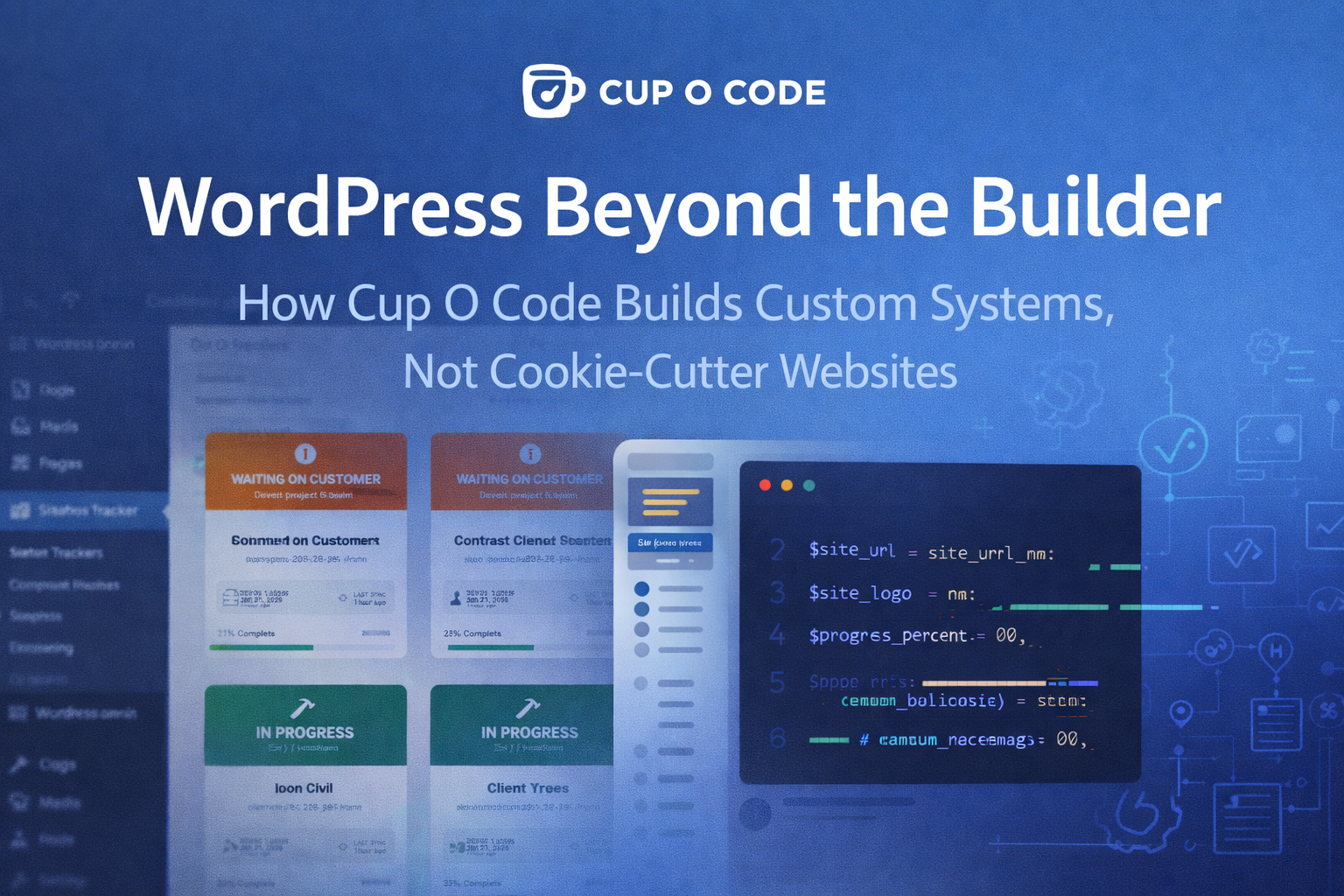
WordPress is often treated as a simple website builder, but at Cup O Code, we use it as a powerful application platform. This article explores how we go beyond themes and prebuilt plugins to create custom systems that solve real operational problems. Using our internally built Website Status Tracker as a case study, we show how WordPress can power client transparency, internal workflow tracking, automated reporting, and scalable custom solutions. It’s a behind-the-scenes look at how we engineer smarter, more intentional websites by building the technology ourselves instead of forcing our process into off-the-shelf tools.
When most people hear “WordPress,” they think of themes, page builders, and prebuilt plugins stitched together to launch a website quickly. That approach works for some projects, but it barely scratches the surface of what WordPress is actually capable of.
At Cup O Code, we treat WordPress not as a website builder, but as a flexible application framework. We use it to design and develop custom systems, internal tools, and client-facing solutions that solve real operational problems. Instead of relying on off-the-shelf plugins that only get us part of the way there, we build purpose-driven technology that aligns exactly with how our team works and how our clients experience a project.
One of the clearest examples of this philosophy is our Website Status Tracker system, a fully custom, two-plugin solution built entirely on WordPress.
Why We Build Custom WordPress Solutions
Prebuilt themes and plugins are designed for the average use case. Businesses and agencies, however, rarely operate in average ways.
As our agency grew, we encountered a familiar set of challenges:
- Clients wanted updates without constantly emailing.
- Our team needed a clean way to track dozens of active builds.
- Project status lived in people’s heads instead of systems.
- Accountability, both internal and external, was difficult to document without friction.
- Existing project management tools were either overkill or disconnected from the websites themselves.
Rather than forcing our workflow into someone else’s software, we built our own solution on top of WordPress, using tools we already trust and control.
WordPress as an Application Platform
WordPress is far more than a CMS. At its core, it provides:
- a robust user and permissions system,
- a REST API,
- cron jobs and background processing,
- custom database storage,
- admin UI frameworks,
- and a secure plugin architecture.
These features make WordPress an ideal platform for building custom internal tools, especially when those tools need to live close to client websites.
Our Website Status Tracker system leverages all of this.
The Two-Plugin Architecture: Client Agent and Command Center
The system is intentionally split into two plugins.
1. Client-Side Plugin: The Build Status Tracker
This plugin is installed on every client website during development. It acts as both:
- a progress tracker for clients, and
- a reporting agent for our internal systems.
Structured Build Stages
Each website build is broken into clearly defined stages. These stages are managed inside the WordPress admin and reflect how our team actually builds sites.
As stages are completed, progress is calculated automatically. This removes guesswork and replaces vague updates with measurable progress.
Awaiting Client Flags
Any stage can be marked as “Awaiting Client Response.” When this happens, the status changes visually for the client and logically for our internal dashboard.
This creates transparency without confrontation. Clients can see exactly when a project is waiting on them, and our team no longer has to repeatedly explain why progress is paused.
Client-Facing Progress Display
The plugin generates a clean, visual tracker that clients can view either through a dedicated page or a floating widget on the site.
Clients see:
- completed steps,
- the current stage,
- overall completion percentage,
- and clear indicators when feedback or assets are needed.
This dramatically reduces status emails and builds confidence in the process.
Construction Mode
While a site is under development, we can enable a construction overlay for public visitors. Logged-in administrators can continue working normally.
This allows us to develop openly without exposing unfinished work or confusing visitors.
Asset Access and Communication Tools
Clients are given a direct link to their project asset folder, typically hosted in Google Drive. The plugin also includes one-click email draft tools for common update scenarios, ensuring consistent communication across our team.
Branding and Experience
Even the WordPress login screen is branded automatically using the site’s logo. This small detail reinforces professionalism and ownership for clients who log into their site during development.
2. Server-Side Plugin: The Development Command Center
The second plugin is installed on a single internal WordPress site, our Cup O Code Development Center.
This plugin acts as a central hub that receives updates from every client website.
Secure, Automated Check-Ins
Each client site sends a daily status update using the WordPress REST API. These check-ins are authenticated using a shared API key, ensuring only approved sites can report data.
No one has to remember to update a spreadsheet or dashboard. The system stays current automatically.
Live Project Dashboard
Inside the WordPress admin, our team sees a live grid of all active client builds.
Each project card shows:
- project name and site URL,
- current status,
- completion percentage,
- last sync time,
- and quick access buttons for admin and site visits.
Projects are visually grouped by status, such as “In Progress” or “Waiting on Customer,” giving instant clarity on priorities.
Drag-and-Drop Prioritization
Projects can be reordered directly in the dashboard. This allows us to reflect real-world urgency and workload, not alphabetical lists.
Auto-Discovery of New Projects
The moment a new client site connects successfully, it appears in the dashboard automatically. No manual project creation is required.
This keeps onboarding clean and eliminates another administrative task.
Turning WordPress Into an Internal Knowledge System
Because this entire system is built inside WordPress, it can evolve far beyond status tracking.
Each project becomes a structured data source that can later support:
- internal build documentation,
- process refinement,
- timeline analysis,
- training resources,
- and historical performance insights.
Instead of project knowledge disappearing when a site launches, it lives inside a system we control.
Why This Matters to Our Clients
Clients benefit from:
- clear visibility into progress,
- fewer confusing updates,
- accountability without awkward conversations,
- and a professional, structured experience.
They are not just handed a website. They are guided through a transparent, intentional build process.
Why This Matters to Our Team
Our team benefits from:
- reduced interruptions,
- standardized workflows,
- better prioritization,
- and fewer status meetings.
The system documents progress automatically and scales as we grow.
The Bigger Picture: Custom Solutions Over Prebuilt Tools
This is what we mean when we say we build custom WordPress solutions.
We do not start with a theme and hope it fits. We start with the problem, then design and build the technology needed to solve it. WordPress becomes the foundation, not the limitation.
Whether we are building client websites, internal tools, or custom plugins, our approach is the same:
- understand the workflow,
- identify friction,
- and engineer a solution that fits exactly.
That is WordPress beyond the builder.
That is how we use technology at Cup O Code.